Install on your platform
Add Webhook Guard to Shopify or BigCommerce and configure your destination endpoints and topics.
WEBHOOK GUARD
Understand webhook failures and recover delivery to your endpoints. Monitoring, payload history, and retry controls in one place.
FROM EVENT TO ENDPOINT
Add Webhook Guard to Shopify or BigCommerce and configure your destination endpoints and topics.
Inspect received events and downstream delivery attempts to understand where something needs attention.
Automatic retries and manual controls help recover failed downstream deliveries after your endpoint is ready.
BUILT FOR THE DETAILS
Inspect payloads and every downstream delivery attempt, including timestamps, HTTP statuses, and response bodies. Search and filter by topic, time range, and delivery status, with up to 90 days of history depending on your plan.
Failed downstream deliveries are retried under the configured policy. When retries are exhausted, review the failure and resend the event to the affected endpoint when it is ready.
Route one topic to multiple standard HTTPS endpoints, such as an ERP, warehouse, and loyalty system. Each integration has independent delivery history and retry tracking.
Verify incoming webhooks against the platform signature. Invalid payloads are rejected and logged so you can inspect the validation result alongside event details.
Flag repeated inbound events using the platform event key and investigate duplicate activity before diagnosing downstream processing issues.
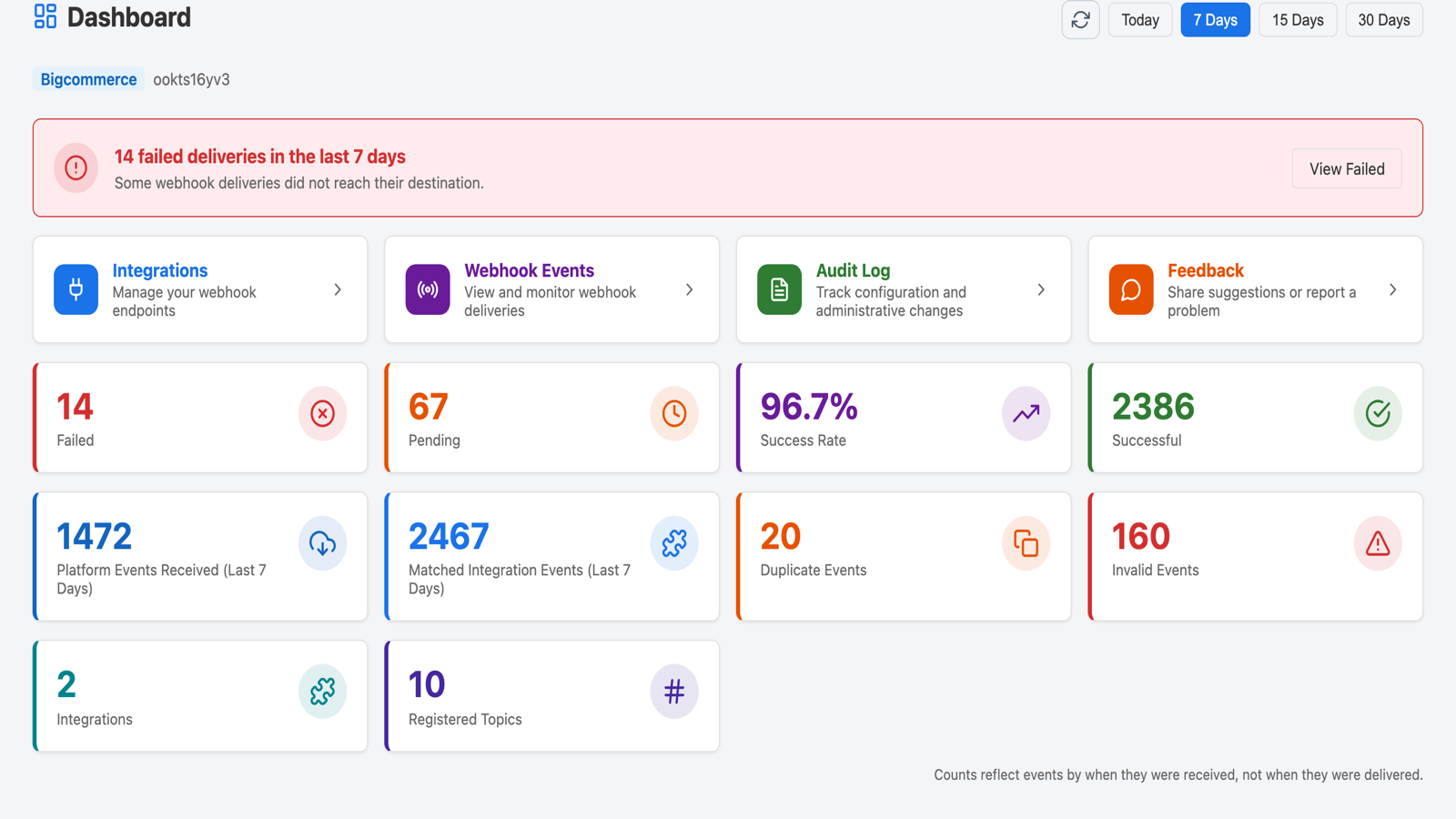
See events received, successful deliveries, failures, and detected duplicates in one dashboard, then open the delivery details that need attention.
WHEN SOMETHING DOESN'T ADD UP
Platform delivery logs show one part of the journey. Webhook Guard adds visibility and retry controls for deliveries from Webhook Guard to your downstream systems.
Check whether Webhook Guard received the event, whether validation passed, and what each downstream delivery returned. Review the payload and duplicate activity before deciding how to recover.
Send an order or customer event to the endpoints that need it. Configure or change destinations in the dashboard and investigate each integration's history independently.
Filter the affected deliveries, inspect their HTTP responses, and resend the specific failed event after the endpoint is ready. Platform retries and downstream retries are separate parts of the process.
Practical guidance when you need a closer look.
A FEW USEFUL ANSWERS
Your platform sends subscribed events to Webhook Guard, which forwards them to your configured endpoints and records downstream attempts. A successful delivery does not establish that your application's final business operation completed.
Yes. Inspect the failed downstream attempt, review its response and retry history, and use the available retry controls once the endpoint is ready.
Yes. On Shopify, the free plan includes up to 5,000 events per month. Deliveries pause when the monthly allowance is reached, and merchants can upgrade for additional capacity. Current allowances and plan details are available in the platform listings below.
No system can guarantee delivery while a destination remains unavailable. Webhook Guard records received events, retries failed downstream deliveries under the configured policy, and provides history and recovery controls. A successful HTTP delivery does not prove the receiving system completed its business operation.
Yes. Evaluate Webhook Guard on eligible Shopify development stores without a paid subscription. Explore the dashboard, configure endpoints, test routing and retries, and review the audit log before introducing it to clients.
Each merchant installs the app in their own Shopify or BigCommerce store. Agencies use individual store dashboards with the appropriate client access; a unified multi-store agency dashboard is not currently available.
TechYelp can help with evaluation and client onboarding. Find referral and revenue-share details in the partner program.
READY WHEN YOU ARE
Choose your platform to see current pricing, event allowances, and available plans. A free live-store plan is available on Shopify.
Need help understanding plans? Read the billing guide.
Questions before you install? Talk to our team.